Changelog

New data sources, sharper suppression, faster audiences, and the fixes in between.

SendGrid, Mailjet, and Brevo data sources

Use SendGrid, Mailjet, and Brevo delivery, engagement, and SMS events in WasteNot audience rules.

SendGrid, Mailjet, and Brevo sending email activity into WasteNot

Three more email platforms can now feed audience rules, so delivery and engagement from SendGrid, Mailjet, and Brevo can sit beside your order and ad platform data.

Email data sources

Use delivered, not-delivered, opened, and clicked messages in audience rules.

Use delivered messages to suppress existing recipients or compare them with customers from your other sources.

Use email engagement, bounces, spam reports, and unsubscribes, plus SMS delivery and opt-outs.

Reconnecting ad accounts

Reconnecting a Meta or Google Ads account with a different login now moves the account over to that login.

One place for your integrations


Data sources and ad platforms now live together on a single Integrations page.

Two separate pages merging into a single Integrations page

Integrations

The Integrations page lists both the systems WasteNot pulls data from and the ad accounts it pushes audiences to. Add, check, relink, or remove a connection from the same list.

Session management

Review and revoke the sessions signed in to your account, and install WasteNot as an app.

A list of signed-in sessions with two selected and a revoke action

Sessions

Account security now lists your sessions and when each started. Revoke some or all of them.

Install as an app

WasteNot can now be installed as a progressive web app. That keeps it handy as a shortcut on desktop or mobile, running like a native app.

Amazon S3 data source

Import CSV event files from Amazon S3 and review the files WasteNot processed for each stream.

Amazon S3 connected to WasteNot in a data source lockup

From direct sources to file handoffs

WasteNot data sources started with APIs that could be imported by date range. That worked cleanly for systems where each record already mapped into the WasteNot event model.

We expanded that model with database and warehouse data sources, giving teams a flexible way to connect directly to the source with SQL.

Some teams prefer a file handoff. Their data already lands in S3 as a scheduled export, or their data team wants an intermediate file layer between the source system and WasteNot. S3 imports support that workflow: connect a bucket, choose the stream path WasteNot should read, and import CSV files as event data for audience rules.

File imports with an event model

File-based imports carry more complexity than direct API or SQL imports. Rows can vary by source, failures need to point back to a specific file, and teams need a clear history of the files that shaped their audience data.

We kept the model opinionated. S3 files use the same event row shape as custom SQL query results, documented in the custom query guide. Events in WasteNot are immutable: a purchase stays a purchase, and a later refund should arrive as a refund event.

For more advanced file formats or import rules, reach out to the team. If we see enough of the same requests, we will keep building out configuration.

S3 setup uses AWS role access and a selected cloud region. The new S3 setup guide includes the policy details teams need when they configure access in AWS.

Imported file history

S3 stream pages now show the files WasteNot imported for that stream, giving teams a clear record of which source files have been processed.

Performance Max campaign support and platform users

WasteNot now supports Google Performance Max campaign types and dedicated pages for managing Facebook and Google user connections.

WasteNot and Google Ads connected in a linked campaign lockup

WasteNot now supports Google Performance Max campaign types, and gives Facebook and Google Ads user connections their own pages.

Audience suppression can now cover more of your Google Ads account. You can connect audiences directly to Google Ads campaigns, including Performance Max campaigns, and see live exclusion status for each campaign link.

Connected user pages

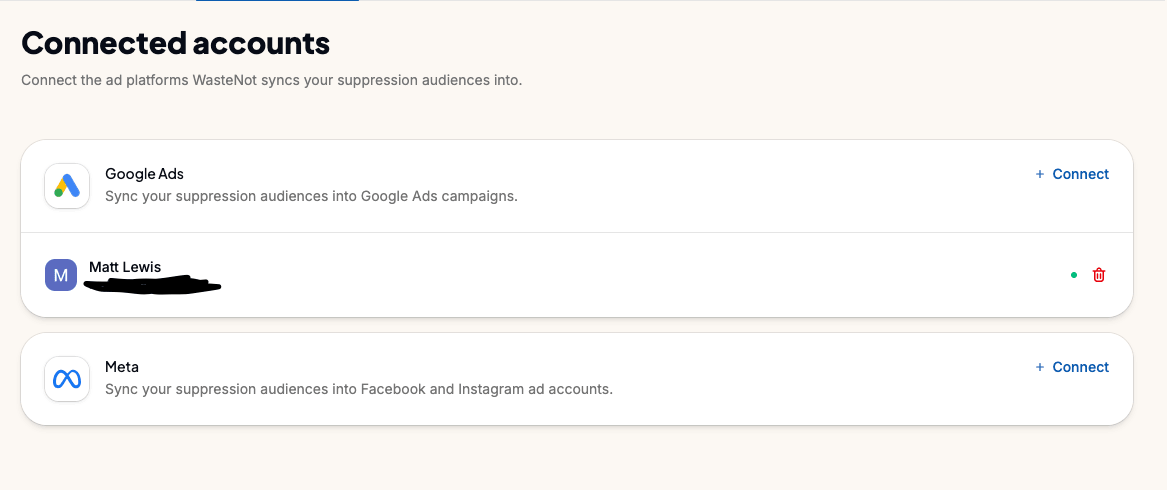
Dedicated pages now show each connected Facebook and Google Ads user, so you can see who is linked and manage those connections in one place.

WasteNot connected Google Ads and Meta accounts for a user

Onboarding flow


New teams now move through a cleaner onboarding flow with clearer setup steps across account details, organization setup, teammate invites, and the first connections. Inviting teammates is still part of the path, but teams can skip it when they are not ready to add people yet.

WasteNot onboarding flow showing the setup steps for a new team

Six data sources for the commerce stack

Support, subscriptions, and storefront orders: Gorgias, PrestaShop, Adobe Commerce, Konnektive, Skio, and Recharge.

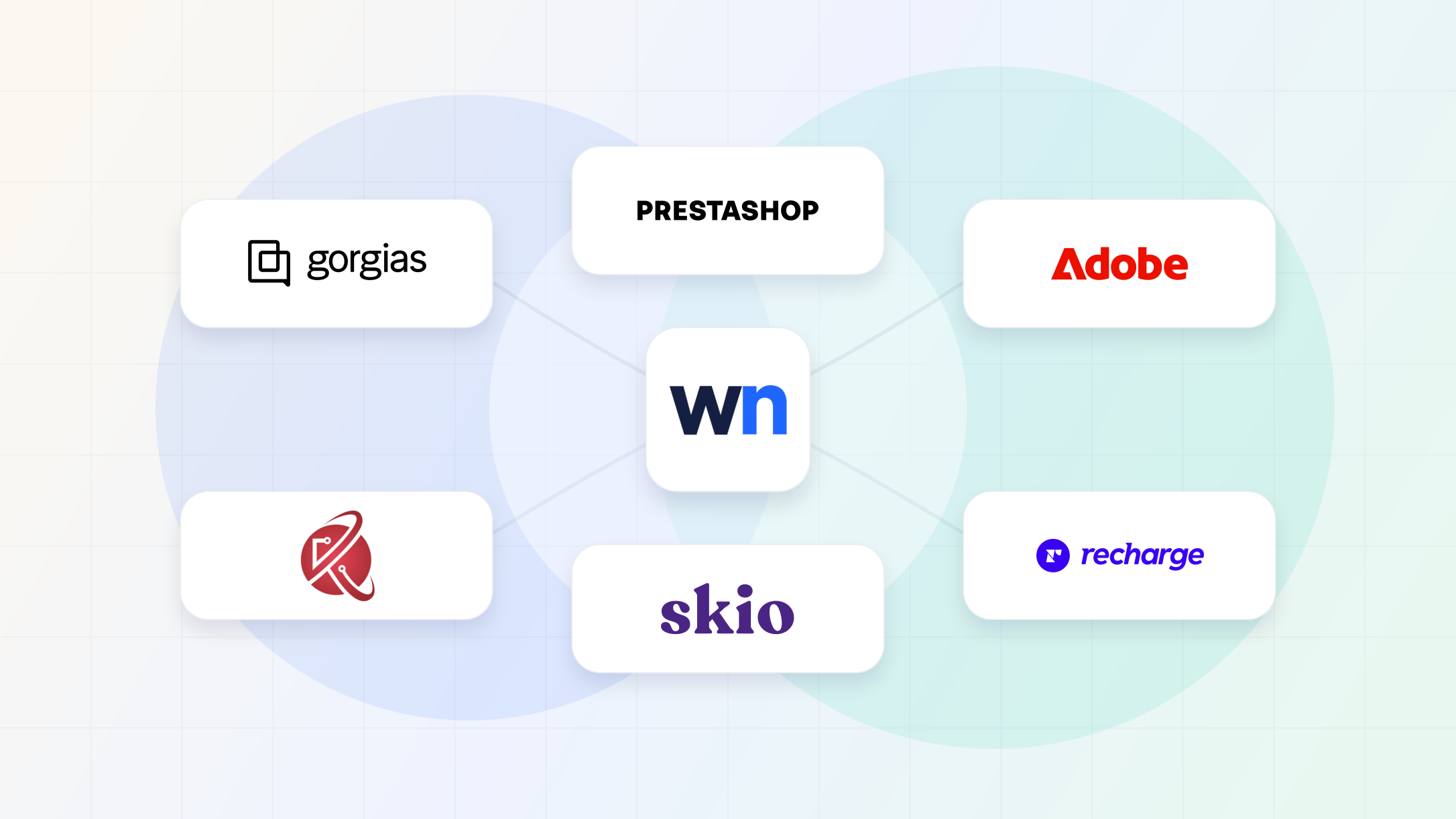
WasteNot logo surrounded by commerce, support, and subscription data source logos

This release fills in more of the commerce stack around the storefront. WasteNot can now use support activity, subscription events, and storefront order data from six more systems when building audiences.

The data sources

Use support ticket activity as an audience signal, so customers who are actively asking for help, returning often, or showing service risk can be treated differently from quiet buyers.

Use Skio subscription events to understand where customers are in their lifecycle and keep subscriber-focused audiences aligned with real subscription behavior.

Use Recharge subscription lifecycle events, including created, activated, and cancelled subscriptions, to keep subscription audiences aligned with customer status.

Use PrestaShop orders, customers, addresses, and credit-slip activity as inputs for storefront audiences.

Use Adobe Commerce order and credit memo refund events, with customer identity from the related orders, for audience rules based on storefront behavior.

Use Konnektive order and refund activity as audience events for commerce rules.

Faster ad account pickers

Choosing an ad account now uses the same searchable combobox as the rest of WasteNot. Companies with lots of Facebook and Google Ads accounts should find the right account faster without scrolling through a long list.

WasteNot Google Ads connected account picker

Transactional messaging data sources

Use Mailgun, Postmark, and Twilio delivery, engagement, and SMS events in WasteNot audience rules.

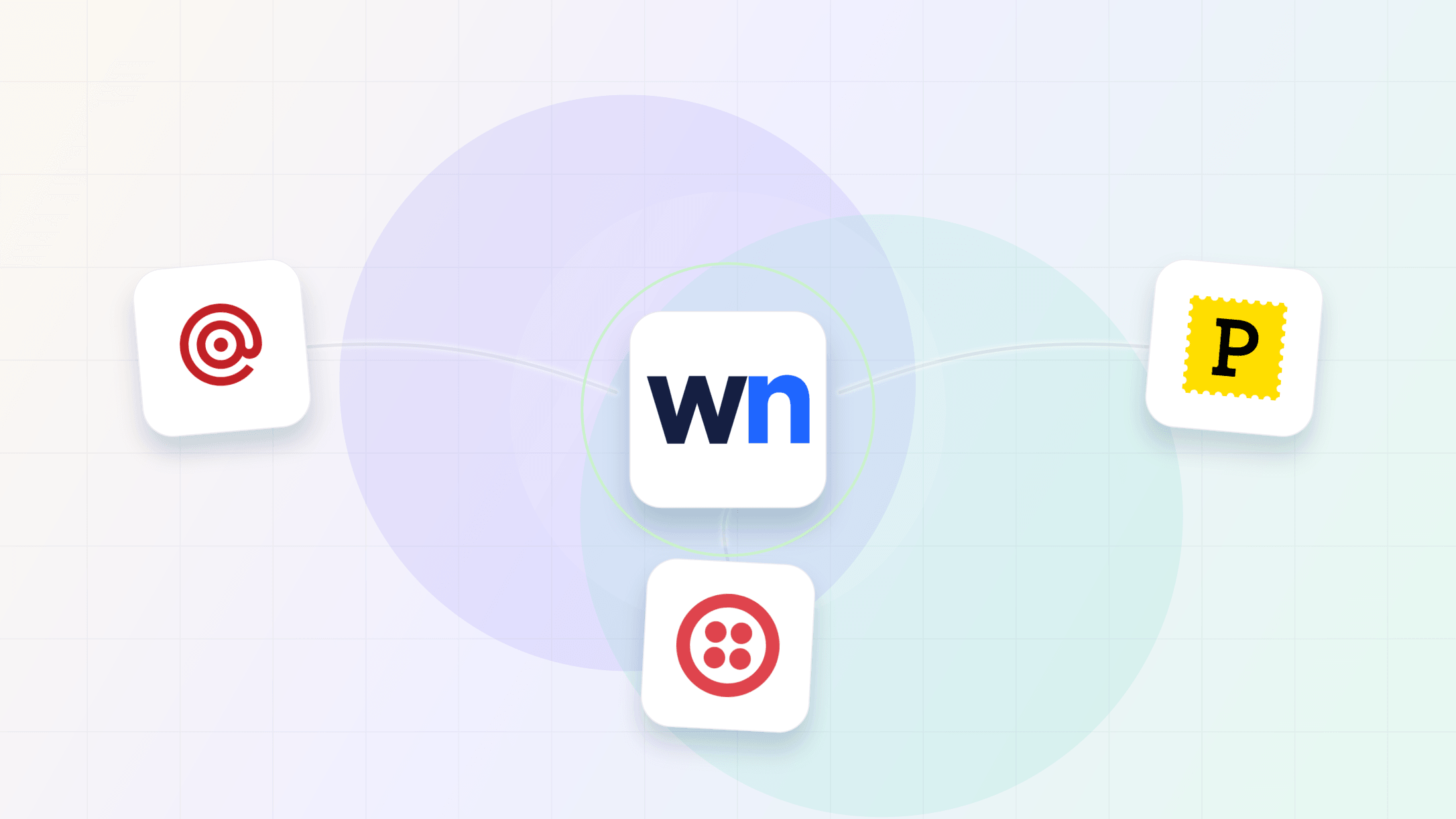
WasteNot logo surrounded by Mailgun, Postmark, and Twilio data source logos

WasteNot can now use transactional messaging activity as audience signals, so delivery and engagement data can sit beside order, subscription, and ad-platform events.

New data sources

Use delivery, open, click, bounce, unsubscribe, spam complaint, and rejected-message events in audience rules.

Use outbound delivery, bounce, open, and click activity from Postmark as inputs for messaging-aware audiences.

Bring SMS message activity into WasteNot so text engagement can inform retention, suppression, and lifecycle audiences.

Data subject requests

Help your team respond to customer access, deletion, and opt-out requests, with suppressions to keep matching data out going forward.

A privacy management image with a shield and lock

Customer privacy requests now have a dedicated place in WasteNot. When a customer sends an access, deletion, or opt-out request to your company, your team can track the affected identifiers, follow the request status, and keep future data for that customer out of WasteNot.

Access and deletion requests

WasteNot now supports data subject requests for customer access and deletion. Each request can cover the identifiers a customer uses, including email, phone, or user ID.

Your team can coordinate the request with WasteNot support and still see the record in the UI with its type, status, due date, and creation date.

Opt-out suppressions

WasteNot also supports opt-out requests for customers whose data should not be processed going forward. Suppression identities record the identifiers that belong to that customer and block matching data from being imported again.

This gives teams a direct way to honor "do not process" requests without relying on manual cleanup after the fact.

Clear raw identifiers

After a request is recorded, WasteNot can clear the raw identifier and keep only the hashed value needed to recognize future matches. The suppression keeps working while the unhashed email, phone, or user ID is removed from WasteNot.

Stripe billing sync

Use Stripe billing data in WasteNot audience rules.

Stripe billing data connected as a WasteNot data source

WasteNot now imports Stripe charges, refunds, and disputes, including customer identity, timestamp, and value when Stripe provides them. That gives audience rules a direct view of paid customer activity, refunded orders, and payment issues.

Better teammate invites


You can now choose a teammate's role before sending an invite and include an optional message so they know why they're being added.

WasteNot invite flow with role selection and an optional message

SOC 2 Type II, ISO 27001, and GDPR compliance

WasteNot has achieved SOC 2 Type II certification, ISO 27001 certification, and GDPR compliance.

WasteNot compliance documents stamped with SOC 2, ISO 27001, and GDPR seals

WasteNot has achieved SOC 2 Type II certification, ISO 27001 certification, and GDPR compliance.

Together, these milestones document WasteNot's security controls, privacy practices, and operating procedures. SOC 2 Type II covers control effectiveness over time, ISO 27001 covers our information security management system, and GDPR covers privacy rights and data processing commitments. Reports are available on request.

Connect your databases and warehouses

Use PostgreSQL, MySQL, SQL Server, Snowflake, BigQuery, and Redshift as WasteNot data sources.

WasteNot logo surrounded by database, warehouse, and lifecycle data source logos

WasteNot can now read audience data directly from PostgreSQL, MySQL, SQL Server, Snowflake, BigQuery, and Redshift.

Set up a database or warehouse as a data source, then provide the SQL query WasteNot should run. That gives teams with customer data in internal systems a direct path into audience rules without exporting files first.

Database data sources use custom SQL with pagination placeholders and a defined return shape. The custom queries guide covers the format.

Supported databases

Connect PostgreSQL with a custom query and use the returned rows in WasteNot audience rules.

Connect MySQL and define the query WasteNot should read for audience inputs.

Connect SQL Server with username and password auth, then use a custom query as the data source.

Supported warehouses

Connect Snowflake and use custom SQL query results in WasteNot audience rules.

Connect BigQuery and use custom SQL query results in WasteNot audience rules.

Connect Redshift and use custom SQL query results in WasteNot audience rules.

The WasteNot help center is live

A home for the WasteNot concepts and in-depth data-source setup that need more room than the app.

The WasteNot help center

We have always answered the most common questions right inside the app, where you need them. But the more involved data sources, with their setup quirks and edge cases, were never going to fit in a screen-sized modal. So we built them a home.

The WasteNot help center is now live. We built it to do three things:

  • Teach the concepts we lean on to use WasteNot well, from nCAC to suppression strategy.
  • Go deep on setup, with step-by-step guidance for each data source, including the awkward edge cases.
  • Show up in search, so the people looking for these answers can actually find them.

We're just getting started. Expect the help center to keep growing.

Supercharged data import

WasteNot now imports source data faster, with clearer source status and more precise event mapping.

A faster WasteNot data import run moving source records into audience-ready data with clear sync status

We rebuilt WasteNot's import pipeline so data sources are no longer treated as one large, opaque sync. Each source is broken into visible streams, imported with more parallelism, and connected to clearer event reporting inside the app.

Parallel data import

Each data source can now be split into streams: individual feeds like orders, refunds, subscriptions, messages, or email events. Most streams import at the same time, so one slow feed does not hold up the rest of the source.

That means fresher customer activity reaches audience rules faster, especially for sources with several event types running at once.

Stream remapping

Events inside a source stream can be mapped into the WasteNot event that best matches how your team uses the data. For example, if you want a refund-like feed to count toward an existing audience rule, you can adjust that mapping without changing the rest of the source.

That gives teams more control over how imported activity appears in WasteNot. New stream types can be added, mapped, enabled, or paused without turning the whole source into a single all-or-nothing import.

Data-source UI

The data-source UI now reflects this stream model. Streams are visible on the source page, with event names, external source names, enabled status, sync status, and per-stream actions.

We also added event counts and a chart for recent activity, so teams can see whether a source is actually producing usable events. When attention is needed, the same page surfaces the source status and reconnect action.

Sync windows

Streams can now be capped at a specific sync end date when a source needs a controlled import window. That gives teams a safer way to backfill or test a source without continuing to pull newer activity past the intended cutoff.

In-app support

A support page and a chat widget, so getting help never means leaving WasteNot.
A WasteNot in-app support chat widget with contextual replies

We're a high-touch product, so making you leave the app and file an email ticket for a quick question never made sense. We fixed it on two fronts.

A support page now lives in the app: real answers and a direct line to us, no bouncing to your inbox.

Chat is built into WasteNot too. When you send a message from the app, the conversation includes the account context we need, so we can answer without asking you to recap what you were doing.

Unified WasteNot interface

A visual refresh that brings the WasteNot app, marketing site, and PDF docs into one consistent interface system.

WasteNot's product, marketing site, and PDF docs had started to drift into separate visual systems. This refresh brings them back into one consistent interface.

The update standardizes spacing, surface treatments, navigation patterns, and core UI components so the product feels more coherent from first visit through daily account management.

Account overview

WasteNot now starts with a quick account overview, so you can see at a glance whether WasteNot is actively optimizing campaigns across your connected ad platforms before you dig into the details.

WasteNot account overview

Revamped onboarding flow

A more guided first-run experience for new teams getting started in WasteNot.

A guided WasteNot onboarding checklist moving from account setup to connected data sources

New teams now get a guided setup path after signing in. WasteNot shows the key steps to finish onboarding, invite teammates, connect data sources, and connect ad platforms without guessing what to do next.

Streamlined Shopify setup

Shopify setup now has clearer prompts, tighter copy, and a walkthrough video for new teams.

Connecting Shopify is the first setup step for most teams, so that path now has clearer prompts, tighter copy, and a walkthrough video to help teams finish the link without getting stuck.

A new Facebook exclusion UI

A redesigned Facebook exclusion UI is now available to every organization.

The redesigned Facebook exclusion UI is live for every organization, and it's far clearer about what is excluded, where, and why.

A brand refresh

A refreshed brand across WasteNot: new logos, colors, and auth pages.

The old WasteNot logo transitioning into the refreshed brand mark

WasteNot got a fresh coat of paint: new logos, a sharper color palette, and redesigned auth pages across the app.

WooCommerce data source and automatic exclusions

Connect WooCommerce as a data source, and keep Meta audience exclusions applied to new ad sets when that setting is enabled.

WooCommerce order data flowing into WasteNot as a data source

This release adds WooCommerce as a data source, so order and customer data can feed WasteNot audience rules directly. Connect your store to pull customers and orders, then build suppression audiences from your real buyers.

Meta audience exclusions are also easier to keep current as campaigns change. When automatic coverage is turned on, WasteNot applies the right audience exclusions when a new Meta ad set appears in a connected campaign. That keeps fresh ad sets covered without another manual pass through the audience connection form.

Facebook ad account management

See and reassign Facebook ad accounts, with a lighter onboarding flow and steadier data source setup.

Facebook ad account management is easier to keep organized. You can see connected Facebook ad accounts and reassign an account to a different user when your team changes.

Onboarding flow

We have held off on a heavy onboarding flow while learning how teams first use WasteNot. This release adds a lighter middle ground: an onboarding form with a meeting scheduler, so new teams can share context and book time before setup gets complicated.

We will keep evolving it as we learn where users need the most help.

Advantage+ exclusions and ad set management

Apply suppression exclusions to Advantage+ Shopping campaigns, set existing-customer budgets, and manage Facebook ad sets.

Advantage+ Shopping campaigns hand budget control to Meta, which makes them exactly where wasted spend piles up. Suppression now reaches ASC+ campaigns, with existing-customer budget controls so you decide how much goes to people who already bought.

Ad set management is easier too. You can now clear every selected Meta ad set from an audience when you no longer want that audience tied to specific placements.

Faster data imports

Data source updates finish faster, giving audience rules fresher customer signals.

Data sources now import through a faster, more reliable path. That means fresher inputs for audience rules and fewer stalled source updates.

Data source controls and Meta Advantage+ support

Pause or resume data sources from the UI, plus support for Meta Advantage+ campaigns.

You can pause or resume a data source from the UI now, without going through support. WasteNot also works with Meta Advantage+ smart promotion campaigns, so suppression follows your spend into Meta's automated buying.

More reliable Google Ads audience syncing

Steadier Google Ads audience syncing and fewer setup errors.

Google Ads syncing got steadier under load: fewer retries, fewer surprises.

A new sign-up experience

A redesigned registration page, plus smaller improvements across audiences and connections.

Sign-up got a full redesign, a cleaner first step into WasteNot. Once you're in, audiences and connections are sortable, so the one you want is a click away instead of a scroll away.

Organization invites

Invite teammates into the right organization during sign-up, plus audience measurement and sync improvements.

Teams can now invite people into WasteNot before everyone has signed up. Invite links carry the organization context through registration, so teammates land in the right place without manual cleanup.

Two-factor authentication

Add a second step to email and password sign-in with an authenticator app.

Turn on two-factor authentication from your account security settings. Scan the QR code, and sign-in asks for a six digit code from then on.

It also generates one-time backup codes. Keep them somewhere safe so you can still get in if you lose your authenticator app.

A better audience page

A richer audience detail page, cleaner audience naming, and smoother setup for ad account connections.

Audiences got a real home: a detail page where you can rename them, change their state, and see the platform connections attached to them.

Audience page controls

A clearer audience page with direct controls for turning suppression on or pausing it.

The audience page now gives you direct control over whether an audience is active or paused. Turn suppression on when an audience is ready, or pause it when you need to stop changes without deleting the setup.

Introducing WasteNot

WasteNot is live in beta: accounts and infrastructure, one-click Google sign-in, the first data sources, Shopify and Klaviyo data, Meta custom audiences, and the audiences the whole platform was built for.

WasteNot is live in beta. This is everything that went into the launch, from the foundation up to the first real suppression audiences running against live campaigns. Read the full story in Introducing WasteNot.

Introducing WasteNot

The foundation

It starts with the groundwork everything else builds on: user accounts, the core application shell, automated tests, and the deployment infrastructure to ship safely from day one.

One-click sign-in

You can sign in with Google, so getting into WasteNot never means managing yet another password. OAuth accounts are confirmed automatically.

Bring your data in

The first data sources arrived with workspace provisioning and a data source page for the sources coming next. You can connect Shopify to bring in customer and order data, Klaviyo to pull email engagement events like opens and clicks, and Stripe for billing activity, so you can build audiences on the signals your customers actually generate.

Push audiences to Meta

WasteNot can create custom audiences on Facebook, so your suppression lists land where your campaigns run. A Facebook target info page shows exactly who a campaign is targeting, so you can see where your exclusions apply.

Audiences, the heart of WasteNot

This is what the whole platform was built for. You can create audiences, the groups of people you want to suppress from your campaigns, name them, and track their status as they're assembled. It's the first step toward turning your own data into real exclusion lists.